Warehouses
Track stock by location and material type
Wire, cable, and spool inventory
SpoolRule gives warehouse and field teams one place to receive, locate, measure, check out, return, and transfer wire and cable inventory.
Who it's for
Whether you manage a warehouse, job sites, or multiple locations, SpoolRule helps your team keep inventory records current and handoffs accountable.
Warehouses
Track stock by location and material type
Job sites
Keep field teams aligned on what is on hand
Multi-location
Maintain accountable records across sites
Inventory control
Stop relying on spreadsheets, memory, and disconnected warehouse notes. SpoolRule keeps each item tied to its material type, location, measurements, labels, and movement history.
Capabilities
SpoolRule ties each item to its material type, location, measurements, labels, and movement history—so your team can act on current records.
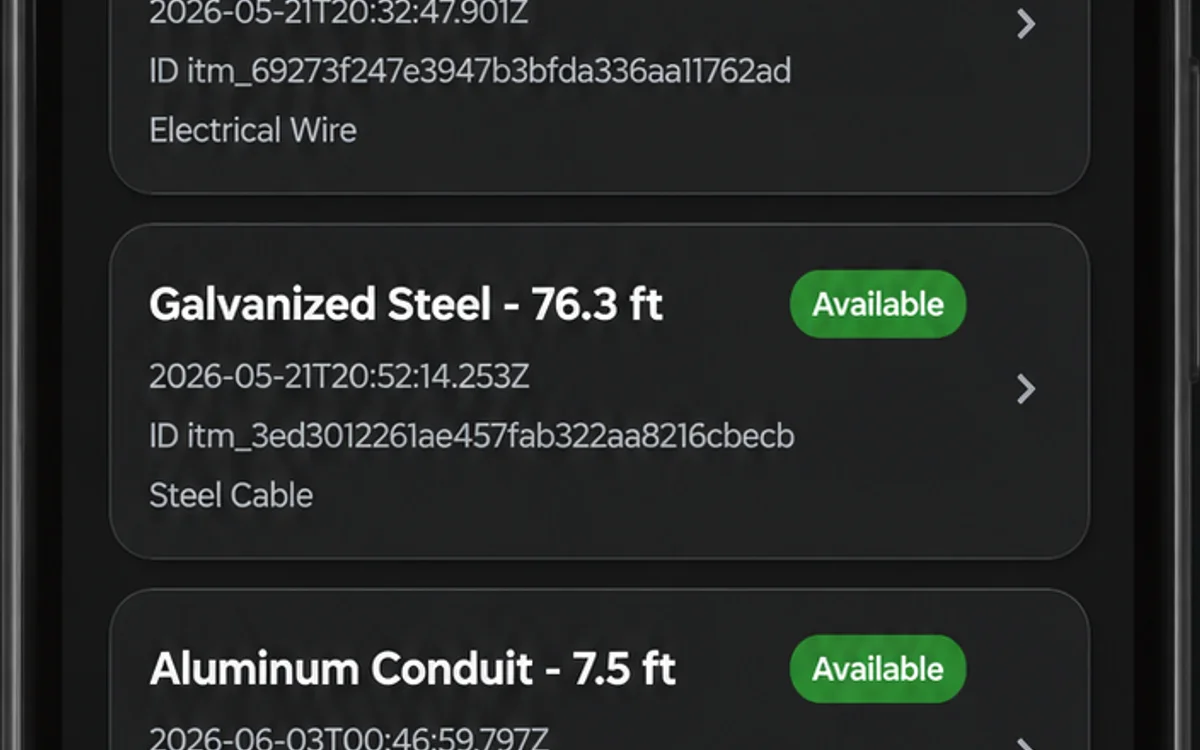
See inventory by warehouse, location, material type, and status without manual roll-ups.
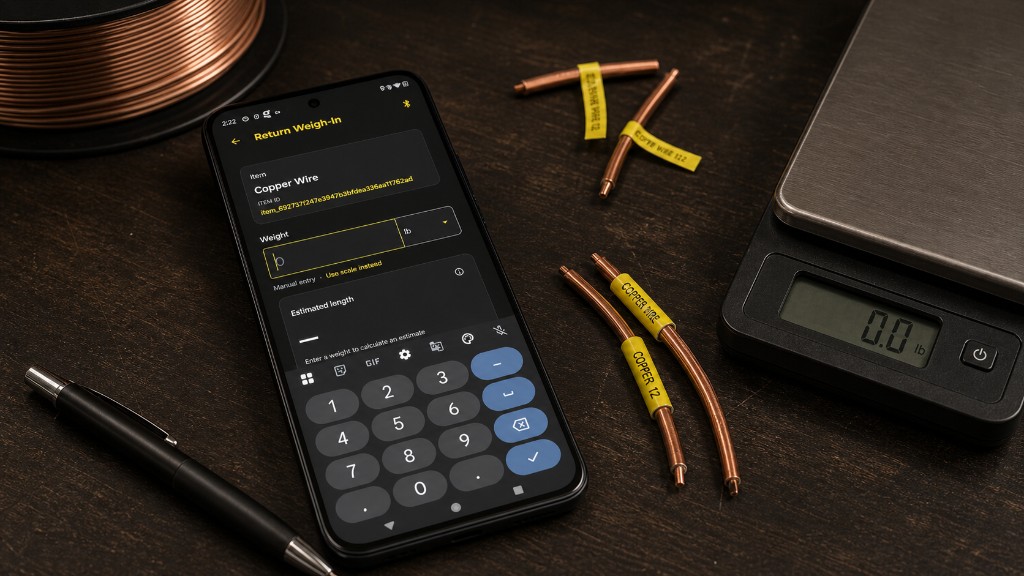
Record weight and length as stock is received or used.
Scan QR codes and barcodes to find and update items quickly on the floor.
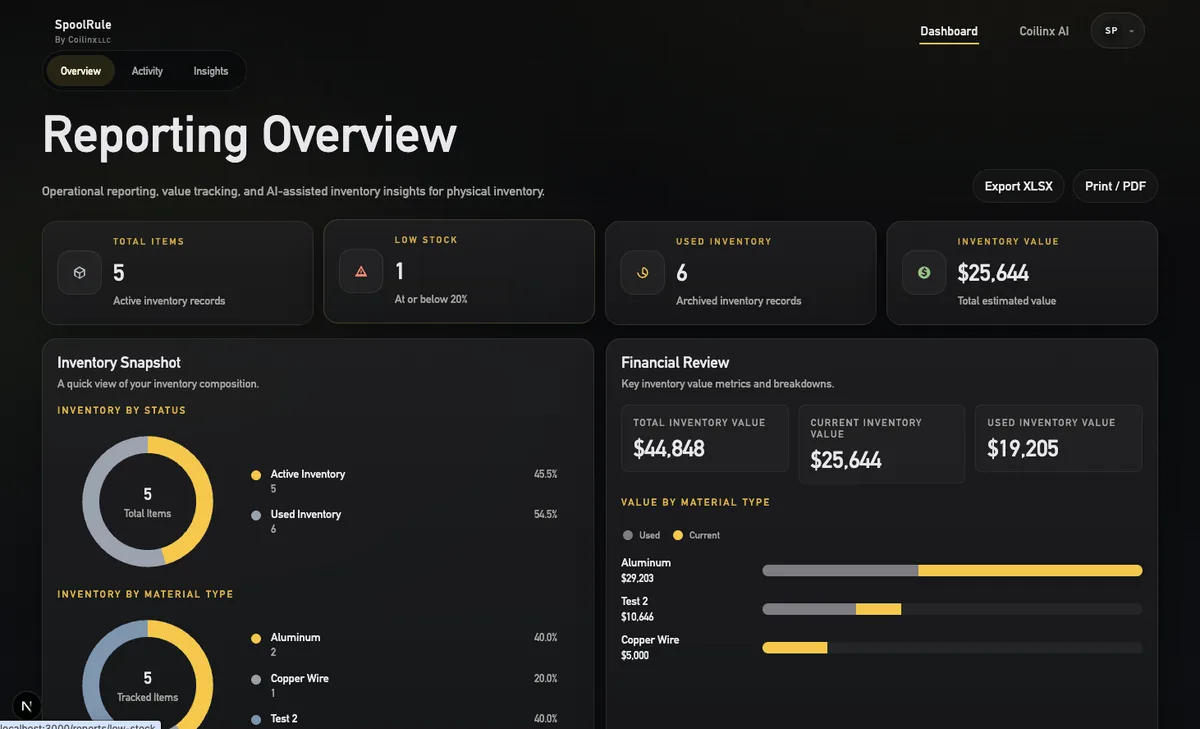
Core includes a clear inventory view and basic reporting. Pro adds advanced reports, exports, trends, and financial insights.
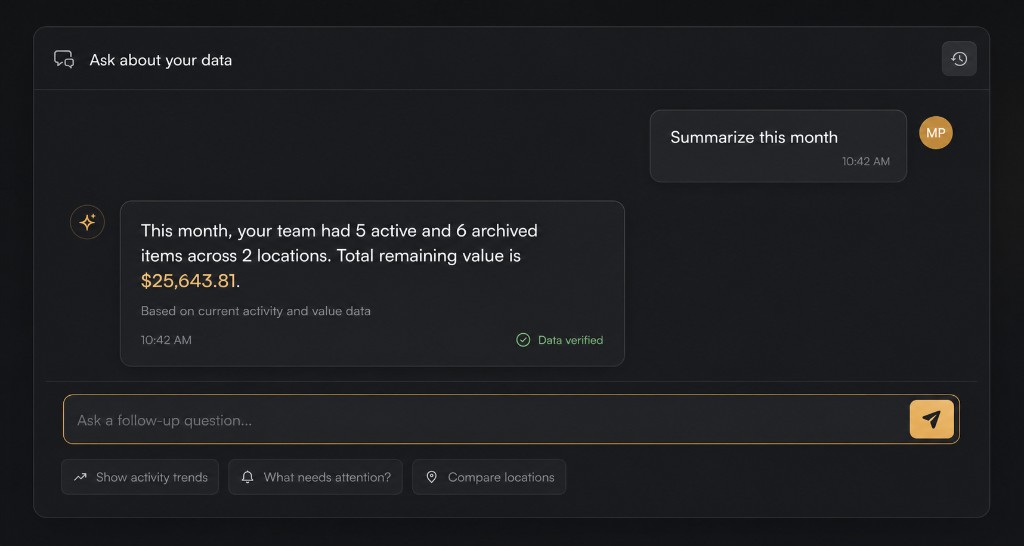
SpoolRule AI on Pro plans helps teams go deeper with analysis, summaries, and trend detection.
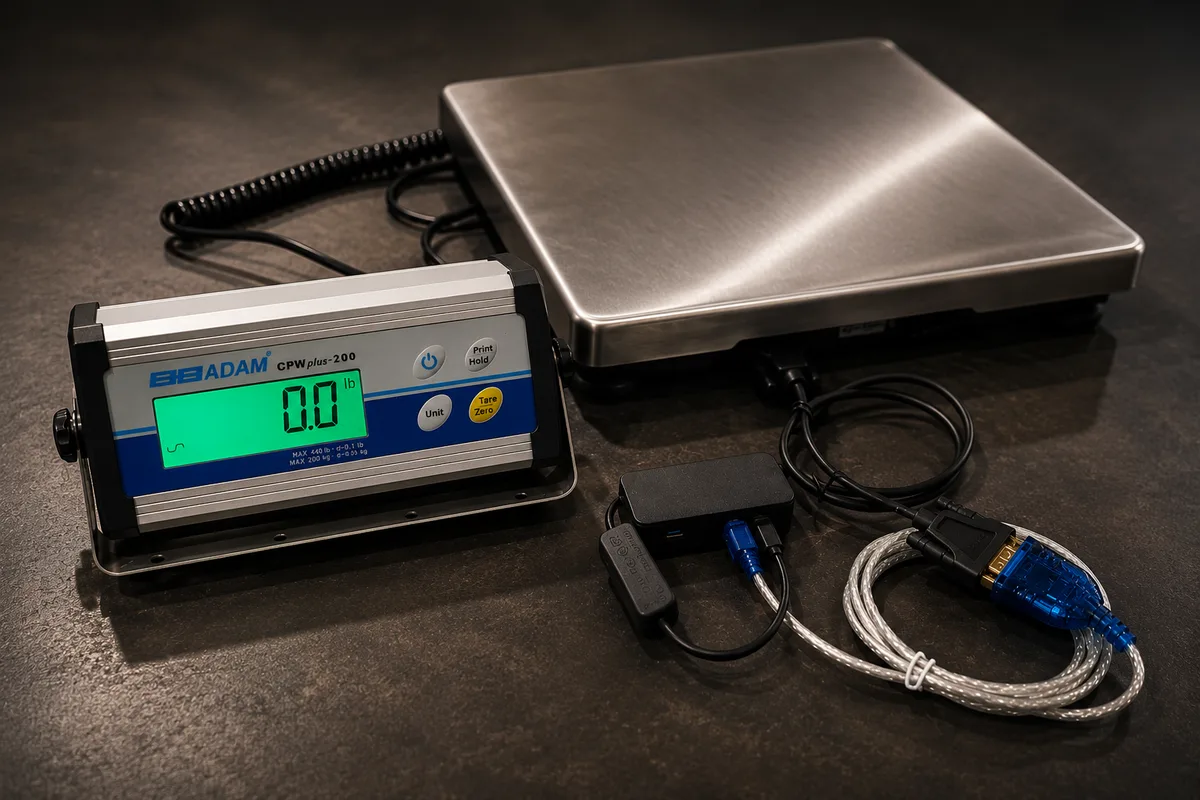
Planned connected-scale support will make weigh-station capture faster when compatible hardware is available.
Workflow
Add incoming material with its type, measurements, location, and label.
Browse inventory or scan a QR code or barcode to pull up the right item.
Record who took an item, where it went, and what came back.
Admins can see activity, usage, inventory status, and reporting across the operation.
Hardware
SpoolRule works with manual weight and length entry today. Planned connected-scale support will make weigh-station capture faster when compatible hardware is available.
Enter weight and SpoolRule calculates length from your material density. Available today on any plan.
Planned connected-scale support will send weight readings from compatible hardware for faster weigh-station capture. Contact us to learn more.
Contact us about connected scales →View labels and printers guide →
Integrations
Pro and Enterprise teams can synchronize inventory, material types, locations, and operational changes through the API and webhooks.
Reporting
Core gives your team a clear inventory view and basic reporting. Pro adds advanced reports, exports, inventory and usage trends, financial and value insights, and SpoolRule AI for deeper analysis.
A clear inventory view and basic reporting to keep teams aligned on what is on hand.

Pro adds advanced reports, exports, inventory and usage trends, and financial and value insights.
SpoolRule AI on Pro plans helps teams go deeper with analysis, summaries, and trend detection.
Pricing
Core tracks inventory. Pro adds advanced reporting, exports, trends, financial insights, SpoolRule AI, and API access. Enterprise is custom for larger teams.
FAQ
Quick answers for teams evaluating wire and cable inventory software.
SpoolRule tracks wire, cable, and spool inventory, including material types, measurements, locations, labels, status, check-out and return history, transfers, and usage activity.
No. You can enter weight and length manually today. Connected-scale support is planned for automatic capture at the weigh station.
Yes. Employees can receive stock, browse inventory, scan items, check material out, and record returns. Admins manage users, locations, material types, and reports.
Pro adds advanced reporting, exports, inventory and usage trends, financial and value insights, SpoolRule AI analysis, and API/MCP integration access.
Start with Core, explore Pro, or talk with us about a multi-site rollout.